

What began as “Zoom fatigue” during the COVID pandemic has evolved into a lasting feature of work in Australia. According to recent research by Roy Morgan, around 6.7m people, or 46% of employed Australians, now work remotely at least part of the time, and this figure rises to 51% for those in full-time employment. Despite employers rallying behind the call for a full-time return to the office in 2023, the trend towards hybrid working has continued.
According to a survey of 1000 professionals in Australia by recruitment specialist Robert Walters, as many as 80% of white-collar workers say virtual meetings regularly interrupt their workday. Despite the benefits of hybrid work- better balance, flexibility, less commuting-many are finding themselves drained by constant online meetings.
Survey Highlights:
- 8 in 10 professionals say online meetings interrupt their working day, and more than 4 in 10 experience this disruption frequently.
- Nearly 1 in 5 attend four or more virtual meetings in a single day, losing close to two hours of productive time.
- Just over 50% believe a meeting’s value depends largely on the subject matter, while almost 25% feel that virtual meetings are only slightly productive or not useful at all.
- Industry experts warn that this pattern is fuelling concerns about virtual burnout.
Why Video Meetings Leave Us Drained
The good news is that researchers now have a clear picture of why video conferencing feels so tiring, and many of the early guesses were spot on. A team at Stanford’s Virtual Human Interaction Lab discovered that what they call “nonverbal overload” is a major culprit. On screen, we’re hit with intense eye contact, a constant view of our own face, close-up images of colleagues, and the challenge of reading limited body language.
Combined, these factors create much more strain than a conversation in person.
To explore this further, Stanford created the Zoom Exhaustion and Fatigue (ZEF) scale, a tool designed to measure the different ways videoconferencing wears us down, from physical and emotional tiredness through to social and motivational fatigue. Studies using this scale show a direct link between hours spent in online meetings and higher levels of exhaustion, with features like self-view and prolonged eye contact among the biggest contributors.
Follow-up research also highlighted that women and early-career employees report the strongest effects, often because of appearance-related pressures and the stress of constant visibility.
Don’t Blame the Platforms
It’s easy to think tools like Zoom or Teams are the problem, but in reality, the technology is only the delivery channel. Just as a poorly run face-to-face meeting can be frustrating, an online session without structure or direction quickly becomes draining.
The real causes of fatigue lie in how meetings are scheduled and managed – too many, running too long, and with little attention paid to engagement. In short, “Zoom fatigue” isn’t a given. It’s less about the software and more about how people design and lead meetings.
That’s why building skills in planning, facilitation, and online presenting makes such a difference. With the proper techniques, meetings can be shorter, sharper, and more interactive, helping reduce the mental and visual load. It’s not about abandoning video calls; it’s about using the tools in a smarter way so they work for you, not against you.
Shifting the Focus: Energy, Not Just Time
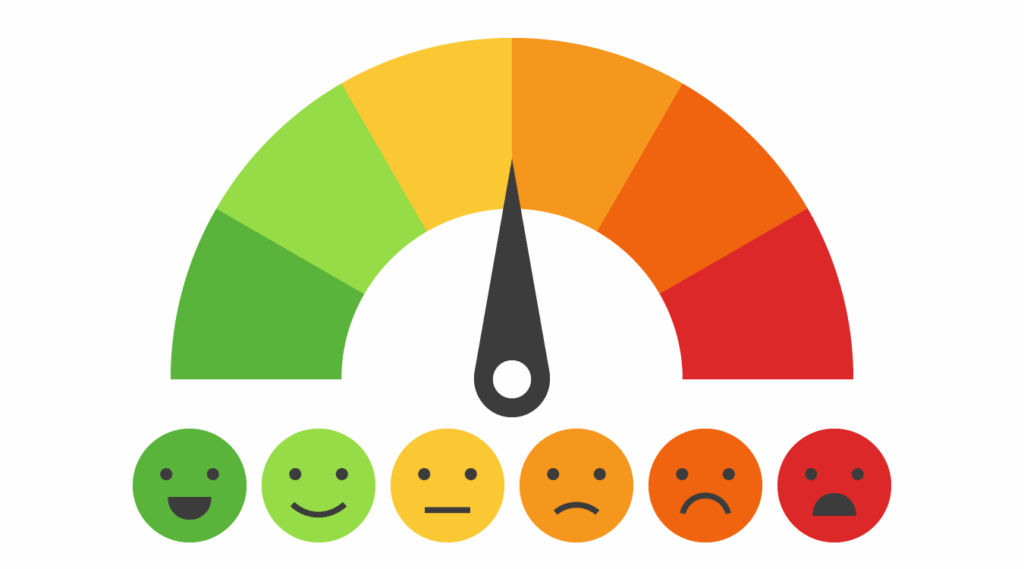
The real challenge of virtual meetings isn’t only about scheduling space in the diary; it’s about managing the energy meeting attendees bring to the call. Online meetings demand higher concentration than in-person conversations, which means even short sessions can be draining if they aren’t well designed.
Instead of focusing purely on time slots, effective facilitators need to think about energy flow: adding pauses, weaving in interaction every few minutes, and varying pace and tone to keep attention levels high. By managing energy in this way, you reduce fatigue and create meetings people are actually glad to attend.
To tackle the most common causes of fatigue, from cognitive overload to poor design, we use a simple framework called the 3-R approach:
- Reset: Break the pattern every 7–10 minutes with a poll, question, or quick activity to reset attention.
- Refresh: Build in micro-breaks. Even 60 seconds away from the screen helps people recharge.
- Re-energise: Shift the pace: move from slides to discussion, or from gallery view to breakout rooms, to spark fresh energy.
Practical Tips to Reduce Video Meeting Fatigue
Alongside the 3 Rs, here are some straightforward strategies that can make a real difference:
1. Keep meetings short and purposeful: Default to 15–30 minutes, and cut recurring meetings that lack an agenda. Tip: Shorter sessions discourage multitasking and reduce fatigue.
2. Avoid back-to-back scheduling: Leave at least 10–15 minutes between calls. Tip: This prevents cognitive carry-over and gives people a real break.
3. Use “camera-on” with purpose: Require video for introductions or key discussions, but allow “camera-off” time for listening. Tip: Reduces pressure and self-view anxiety.
4. Show people how to hide self-view: A small change that lowers stress levels. Tip: Not looking at oneself helps reduce mirror anxiety and distraction.
5. Switch to speaker view for long segments: Reduces the strain of staring at a grid of faces. Tip: Grids of faces are proven to cause stress, so only use them for short periods.
6. Simplify your background: Busy or cluttered backdrops force the brain to process extra detail, which adds to fatigue. Tip: Neutral, uncluttered settings reduce visual distractions and mental load.
7. Improve lighting and framing: Simple tech tweaks boost confidence and reduce appearance stress. Tip: A better VC set-up also increases engagement by others on the call.
8. Encourage movement: Use phone calls or audio-only walking check-ins where possible. Tip: Movement improves focus and reduces tension.
9. Make slides simple and visual: Focus on clear visuals instead of dense text. If there’s detail, send it as a pre-read before the call. Tip: Simple slides lower cognitive load for everyone and help maintain attention.
10. Set meeting boundaries: Protect “no meeting” windows, respect lunch breaks, and avoid early morning or late afternoon scheduling. Tip: Helps to promote balance and a feeling of well-being.
11. Use non-live updates where possible: Replace routine check-ins with written notes, shared slides, or short recordings. Tip: Nobody wants yet more screen time in their working day, so reduce it where you can.
Using the Tech to Your Advantage

Video platforms have come a long way over the past couple of years, and many now offer features designed to help reduce fatigue. Here are a few of our top tips::
Zoom
- Immersive View – creates a shared virtual space.
- Breakout Rooms – encourage small-group interaction.
- Hide Self-View – cut down mirror anxiety.
Microsoft Teams
- Together Mode – avoids the stress of gallery grids.
- Scheduling Assistant – helps prevent back-to-back meetings.
- Posts in Channels – share updates without another meeting.
Google Meet
- Noise Cancellation – blocks background distractions.
- Quick Access – streamlines joining.
- Jamboard – adds interactive whiteboarding.
General Tools
- On-demand updates – quick recordings or notes.
- AI summaries – speed up follow-ups.
- Meeting-free blocks – protect time for focus.
Sharpening Your Online Presentation Skills
Presenting virtually is never identical to being in the room, and there’s no doubt that creating energy and connection are harder to replicate. But with the right skills, you can move people from passive observers to active meeting participants. Online presenting demands its own toolkit: holding attention, creating interaction, and communicating with clarity.
That’s why we created our Presenting Online Fastclass, a practical program for managers, leaders and technical specialists who want to transfer their in-person presenting skills into the online space with confidence.
No matter your role or experience level, if you want to make your voice heard and your ideas count, presentation training is a smart investment in yourself, your team, and your organisation. So please get in touch. We’ve been coaching people for nearly 20 years, and we’re known as the Business Presentation Skills Experts, training and coaching thousands of people in an A-Z of global and local organisations. We’ve got the experience and expertise to help you and your team become the confident, compelling, and memorable presenters they want to be, in both online and in-person settings.
View our presentation skills training and coaching reviews to see what they say about our programs. We have a wide range of customised corporate training solutions, both in-person and online, to choose from, each of which can be tailored to your specific business needs.